


A compliant Vietnam visa photo must meet specific requirements for size, background, facial position, and file quality. Preparing the correct photo can help avoid unnecessary delays.This guide explains the Vietnam visa photo requirements, digital file specifications, how to take a compliant photo at home, and what to do if your photo is rejected.
A compliant Vietnam visa photo should meet the following criteria:
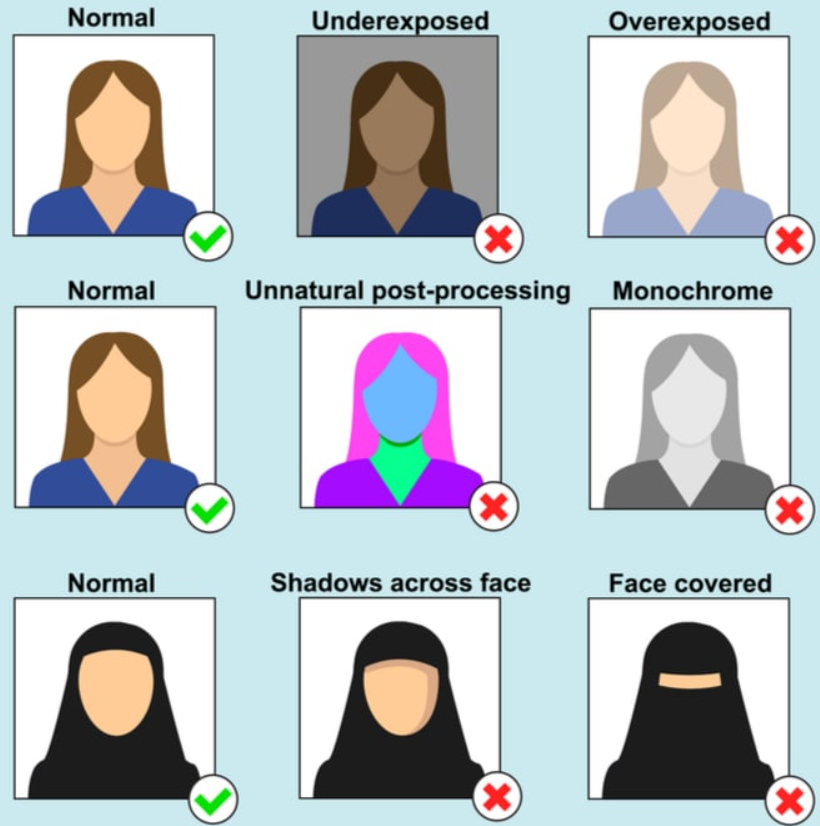
Example for acceptable photo for Vietnam visa
For online applications, the uploaded photo is automatically checked for quality by the system. If an error is detected, check your email regularly for notifications and follow the instructions provided to correct the photo or complete the application.
Each Vietnam visa channel has its own photo rules, and using the wrong specification is one of the most common causes of avoidable delays or rejection.
The digital photo should have a minimum resolution of 300 dpi and meet the required file format and size limits for the specific application channel.
|
Application channel |
Photo requirement |
|
Embassy visa |
2 identical printed photos, 4 x 6 cm |
|
E-visa |
1 digital portrait photo, 4:6 ratio, 1 passport data page |
|
Visa on arrival |
2 photos, 4 x 6 cm, recently taken within the last 6 months |
The Vietnam e-visa portal requires a clear digital portrait photo of the applicant together with a separate image of the passport data page. In addition to the usual requirements for a visa photo, the e-visa application also has separate requirements for both portrait and passport data photos..
According to the e-visa requirements, the applicant's photo should have the following specifications:
The passport image is uploaded separately from the portrait photo. Upload only the passport data page containing your personal information, and make sure the entire page is clearly visible. Avoid submitting a passport image with lost or cut-off corners, unclear text, glare, or other parts that prevent the information from being read.
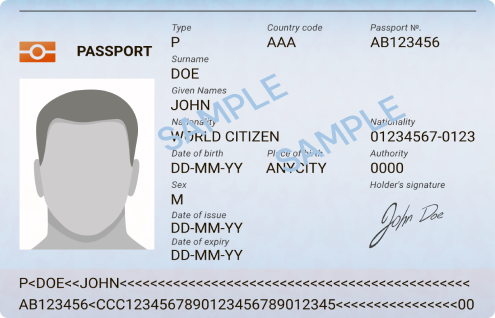
Make sure your passport data photo is clearly visible (Source: Vietnam National Electronic Visa System)
For the best result, check both files before submitting your application. A technically accepted upload does not necessarily mean the photo will pass the remaining stage of application review.
You do not necessarily need to visit a professional photo studio to take a Vietnam visa photo. A smartphone can be sufficient if you set up the shot carefully and make sure the final image meets the requirements.
Use a plain white background without patterns, furniture, or other objects behind you.
Position yourself in a well-lit area. Ideally, the light should come directly from the front or evenly from both sides of your face. Avoid strong light from only one side because it can create shadows across your face.
Make sure your face is bright and clearly visible before taking the photo.
Stand or sit directly facing the camera and keep your head straight. Do not tilt your head up, down, or to either side.
Your face should be positioned in the center of the image, with both ears clearly visible. Keep a neutral facial expression and look directly at the camera.
Leave enough space around your head so that you can crop the image to the required 4 x 6 cm ratio without cutting off your face or ears.
After taking the photo, you can use free photo-editing tools or the built-in editing function on your smartphone to crop and resize the image.
Set the crop ratio to 4:6 and check the final image carefully before uploading. Make sure the face remains centered and that neither ear or the top of the head is accidentally cropped.
If the final file is too large, use an image compression tool to reduce the file size while keeping the image clear. For e-visa applications, remember that the file should be under 2 MB.
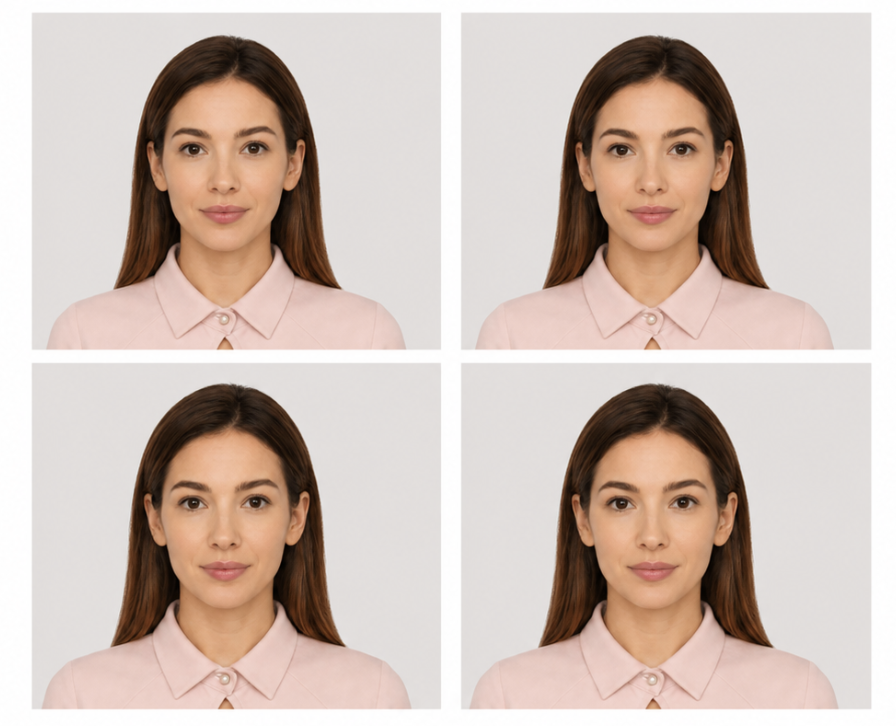
An example of good visa photo (Source: collected)
Related blog post: Vietnam Visa Requirements: Quick Guide
Most rejected Vietnam visa photos fail because of the background, shadows, facial positioning, or poor digital file quality.
Common problems include:
Before submitting your application, zoom in on the photo and check the face, ears, background, and image quality. Spending a few minutes checking these details can prevent a photo-related issue from delaying your visa application.
Related blog post: Vietnam Visa Guide 2026: Types, Requirements, Fees & How to Apply
Taking a visa photo with your smartphone can save both time and money. If you have a good-quality camera and sufficient lighting, you can take the photo yourself and crop it to the required size.
However, smartphone photography can have some limitations. It may be difficult to maintain the right distance from the camera while keeping the face sufficiently clear. Poor lighting can also create shadows, while an unsuitable camera angle may make it difficult to show the entire face and both ears clearly.
A professional photo studio offers several advantages. Studios typically have a white background and controlled lighting, making it easier to produce a sharp and evenly illuminated portrait. Staff can also help position your face correctly and crop the image according to the required visa dimensions.
If you are unsure whether your smartphone photo meets the requirements, using a professional studio can be a simpler option, especially when you have limited time before your trip.
Sometimes a photo may be accepted when you upload it but later be rejected during the e-visa review process because it does not meet the required standards.
When this happens, you may need to upload a corrected photo and wait for the application to be processed again. This can effectively add more time to your visa application.
The situation becomes more urgent if your flight is approaching and you no longer have enough time for standard processing.
In this situation, consider contacting a reputable Vietnam emergency visa agency that offers expedited visa processing services. They can help you speed up the processing and receive your e-visa earlier
UrgentVisaToVietnam provides urgent Vietnam visa processing services for travelers facing tight deadlines. We have 15+ years of experience in handling complicated visa application problems, working with 56k+ applicants from 190+ countries. We provide transparent pricing with no hidden fees, so you will know exactly the amount you have to pay before payment. Contact us via:
Tel: +84.904.879.729
Tel: +1 (778) 788 2310
Email: [email protected]
Address: No10A, Sai Dong, Long Bien, Hanoi
A Vietnam visa photo should be 4 x 6 cm with a white background. For digital photos, use the required 4:6 aspect ratio and resolution specified by your application channel.
No. Glasses and headwear are generally not accepted, except for religious head coverings where permitted.
The Vietnam e-visa portal accepts a JPG or JPEG portrait photo under 2 MB. The photo should be clear, have a white background, and meet the required 4 x 6 cm specification.
Yes. You can use your smartphone as long as the photo has proper lighting, a white background, clear facial, ear details, and meets the required resolution and size.
Yes. Every applicant, including infants and children, needs their own compliant visa photo.
Common reasons include a colored background, shadows, poor lighting, low resolution, incorrect facial position, or an oversized file. Check the photo requirements and upload a corrected image as soon as possible.
3-5 working days are required, since your visa processing starts from the day your photo and payment is accepted. If the photo error happens close to your flight departure, you should find emergency visa agency to expedite your application.
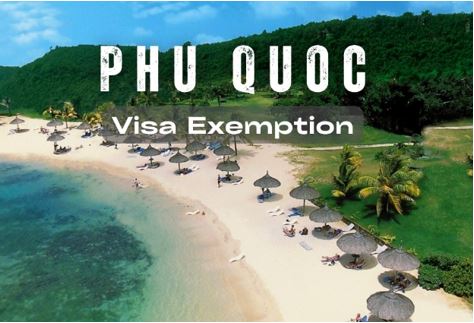
You are eligible for a 30-day Vietnam visa exemption on Phu Quoc no matter whether you are a foreigner or a Vietnamese holding a foreign passport.
If you are a frequent traveler who visits Vietnam for only a few days or 30 days and then returns home, maybe you are not aware of the term running Vietnam visa.
Are you on the Vietnam Immigration Blacklist? Find out the common violations, ban periods, and the steps to apply for re-entry after a violation.